Independent development · First app

Apple shows you your available balance.
SAM shows you what you can actually spend.

Sort All Money (SAM) is a native iOS money-planning app — built with SwiftUI and SwiftData — for people who want a clear, honest picture of their finances without maintaining category budgets or spreadsheets.

Add the money coming in, the bills that need covering and what you've spent. The app organises it around your real planning cycle and works out what's genuinely left.

Native iOS · SwiftUI & SwiftDataIn developmentSupport
Sort All Money welcome screen

The core idea

Your bank balance is not your Available to Spend.

Traditional budgeting tends to focus on the calendar month and a set of spending categories. Sort All Money focuses on something narrower and more useful: money coming in, bills that need covering, one-off spending, and what's genuinely available once all of that is accounted for.

Bank balance

What's actually happened.

Paid income minus paid bills and outgoing — the number your banking app shows you.

Available to spend

What's safe to spend right now.

Your balance, adjusted for everything you still owe this cycle — paid or not.

Planning cycles

Your money doesn't always run from the 1st to the 31st.

You can plan from one main income payment to the next, by calendar month, weekly, fortnightly, every four weeks, or around a custom schedule.

It understands the practical cases that trip up simpler budgeting tools: paydays that get adjusted for weekends, income that lands on a particular weekday of the month, future cycles planned ahead of time, and bills whose exact date isn't known yet.

Choosing how Sort All Money organises a planning cycleChoosing a planning cycle frequency in Sort All MoneyChoosing how Sort All Money handles weekend paydaysChoosing a specific payday date in Sort All Money

Bills, income & outgoing

Real income isn't always perfectly predictable.

Every bill, incoming payment and outgoing item belongs to the planning cycle it actually falls in — properly modelled, rather than flattened into one undifferentiated list of transactions.

Bills
Recurring or one-off, with a fixed date or timing relative to your cycle. If a bill's exact date isn't known yet, the app can still hold its place rather than forcing a guess. Bills can be marked paid automatically, with a reminder, or manually — whichever fits how you actually manage that bill.
Income
Regular or one-off, fixed or variable. Where an amount varies cycle to cycle, you can estimate it up front and confirm the real figure when it lands, rather than treating every income item as if it were identical every time.
Outgoing
One-off spending that sits outside your bills — the everyday and irregular costs that still need to come off what's genuinely available, without needing a permanent category set up for them.
Sort All Money regular income setupSetting an income amount in Sort All MoneySort All Money variable income setup

When the numbers drift, you stay in control.

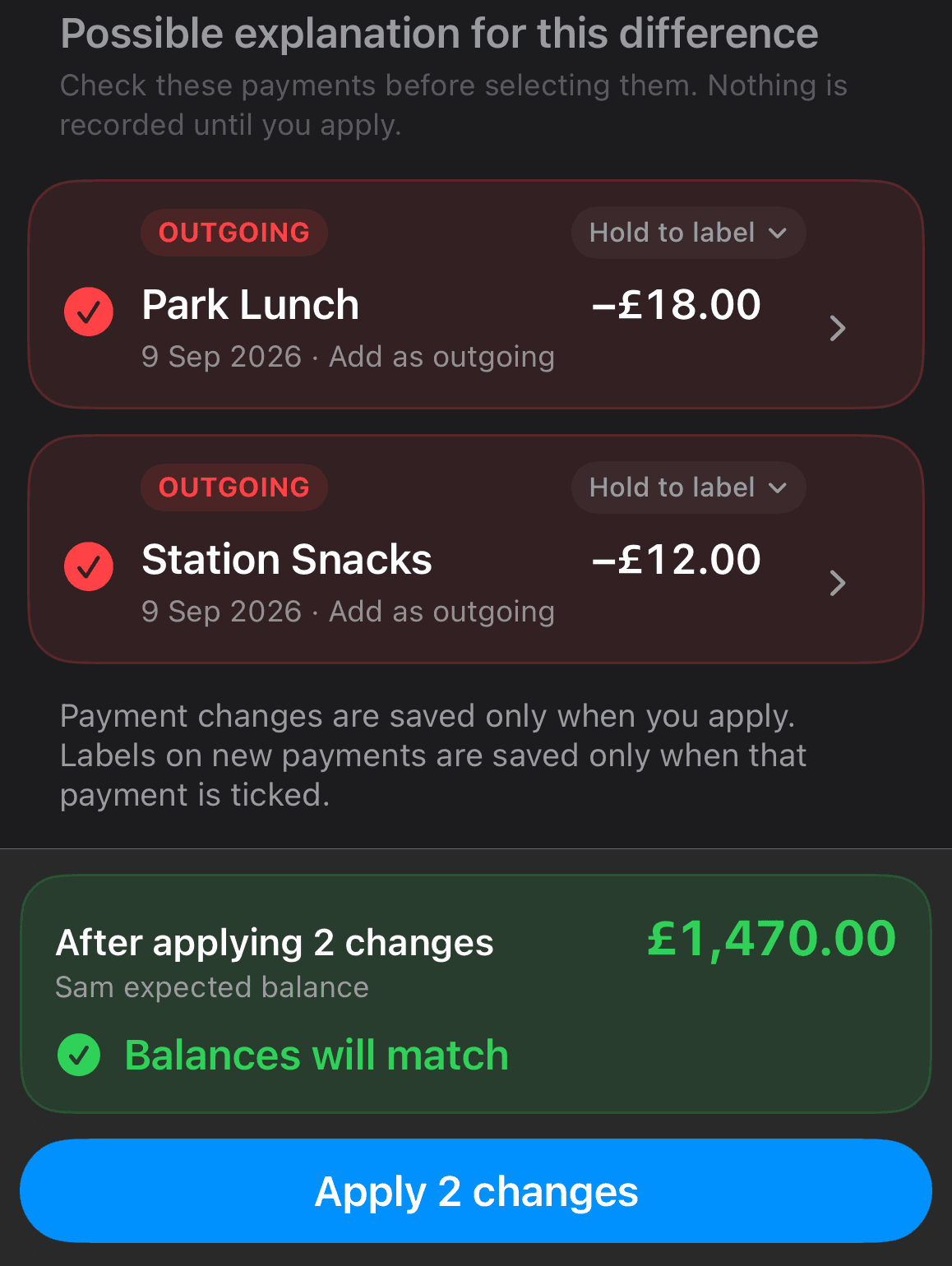
Calculated balances inevitably drift from reality — a payment lands a day early, a bill is a little more than expected. Rather than immediately creating a correction entry that explains nothing, Balance Check compares the difference against relevant unpaid or expected items and asks whether one of them was actually paid or received.

It keeps your data meaningful instead of accumulating a trail of unexplained adjustments.

Editing a recurring bill doesn't rewrite what already happened.

Recurring changes do not silently rewrite history. If you edit a template — a bill amount changes, a payday shifts — you decide whether the item already generated for your current cycle should change too, rather than the app quietly altering something you may have already reconciled.

It's a small distinction that matters: the record of what actually happened this cycle stays accurate, even as the template for future cycles evolves.

Reminder Center

A single place for what needs attention: bills that are overdue, items due today, and variable amounts that still need confirming. Local notifications are optional and scheduled entirely on-device.

Analytics

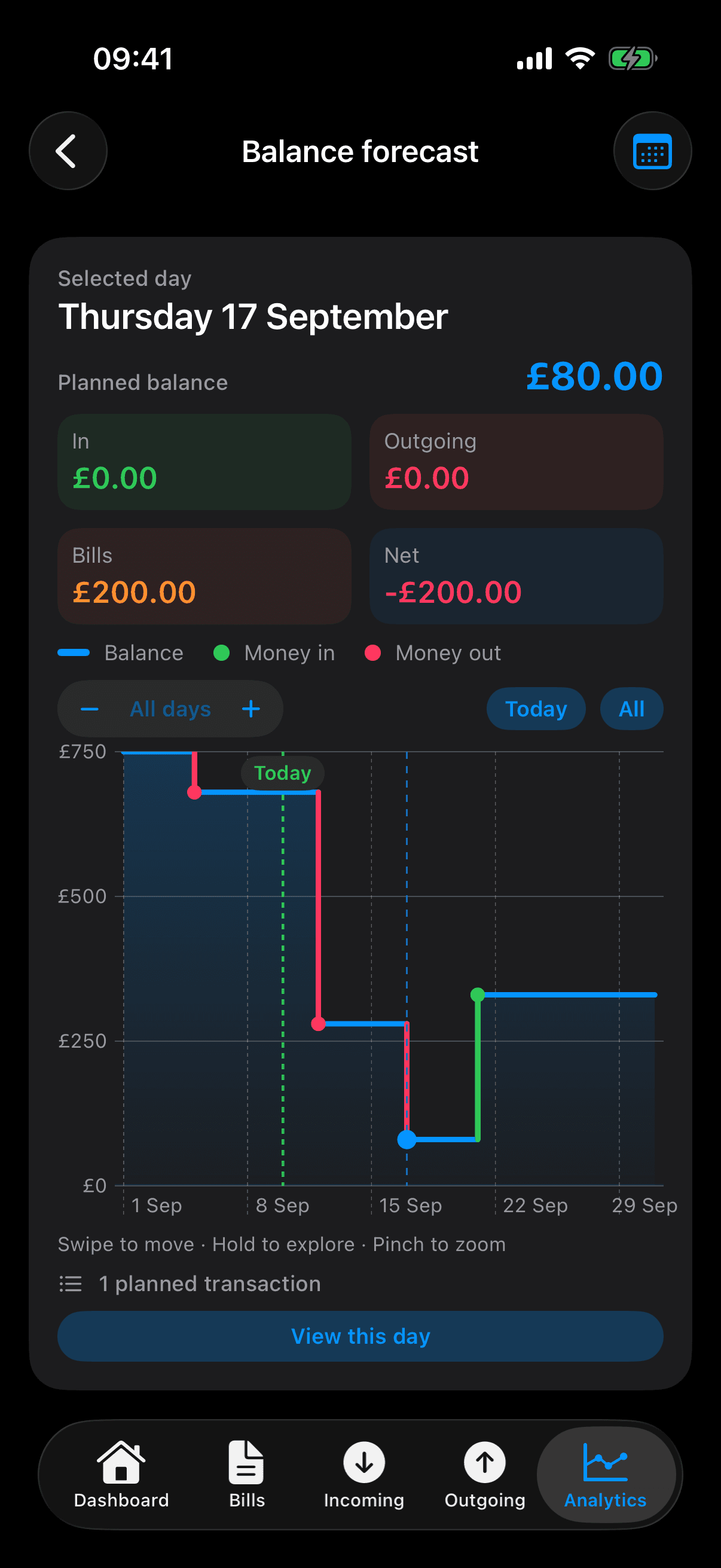
Trends from your completed planning cycles — income, bills, outgoing and Available to Spend over time, with savings-rate callouts and cycle-to-cycle comparisons. Your current, still-open cycle is deliberately excluded from averages until it's actually finished.

Sort All Money planning settingsSort All Money data settings

Multi-currency

Sort All Money supports around 20 currencies, including GBP, EUR, USD, CAD and AUD — for anyone planning cycles in more than one currency, or simply living somewhere other than the one they bank in.

Privacy by construction

Your financial data stays under your control.

Core data is stored locally, protected by iOS's own data-protection mechanisms. There's no advertising, and Sort All Money does not sell or share your financial data. SAM Plus is a paid product, not one funded by monetising your data.

Read the full privacy policy

Face ID protection

Handled entirely by Apple's device authentication — the app never receives or stores biometric data.

Private iCloud backup

Optional, and stored in your own iCloud account. No separate product account is required.

On-device reminders

Notifications are scheduled locally on your iPhone — no push server involved.

Sort All Money privacy and security settings

SAM Plus

Core planning is free: planning cycles, bills, income, outgoing, Available to Spend, Balance Check and reminders. SAM Plus is an optional paid tier that adds Analytics, unlimited planning history, and iCloud backup.

Current pricing is shown in the App Store listing at release.

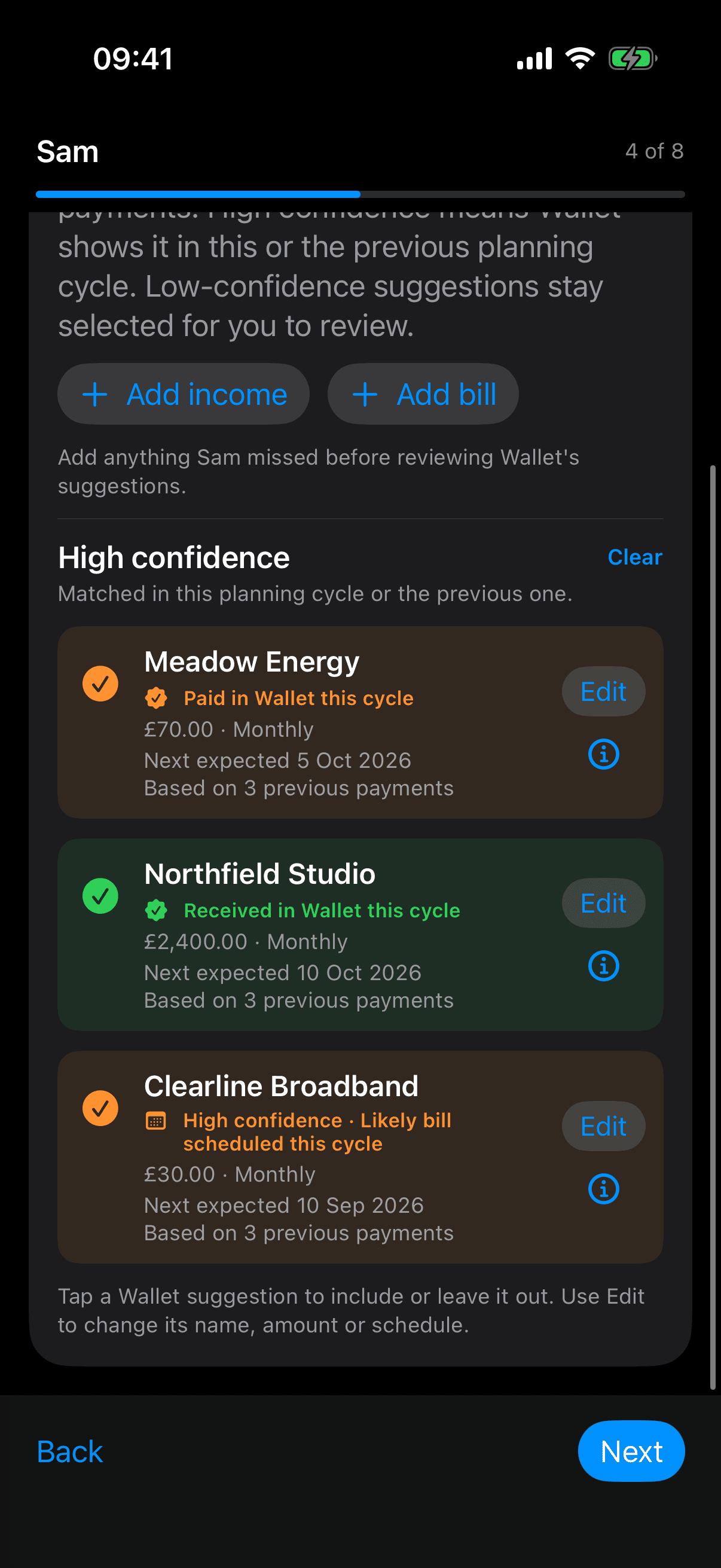
FinanceKit & Apple Wallet

Matching Apple Wallet transactions against your bills and income is a planned feature, in development, and not yet available — its availability depends on Apple's entitlement approval. When it ships, the app will suggest possible matches for you to confirm; it won't automatically mark anything as paid on your behalf.

Product principles

Less budgeting overhead. More useful answers.

Built around your pay cycle

Weekly, fortnightly, four-weekly, monthly or custom. Planning follows the way your money actually arrives rather than assuming every budget starts on the 1st.

Available to Spend

Sort All Money separates your bank balance from what is genuinely safe to spend after bills and commitments are accounted for.

Recurring items don't rewrite history

Edit a recurring bill or income template, and you choose whether the change should also apply to the item already generated for this cycle — nothing changes silently.

Reconciliation that asks first

Balance Check can investigate whether a difference corresponds to an expected bill or income item instead of blindly creating a correction.

Questions, feedback, or press?